![[ChimeraX Issue Tracking System]](/trac/ChimeraX/chrome/site/ChimeraX-icon.svg)
Opened 3 months ago
Closed 8 weeks ago
#20267 closed defect (fixed)
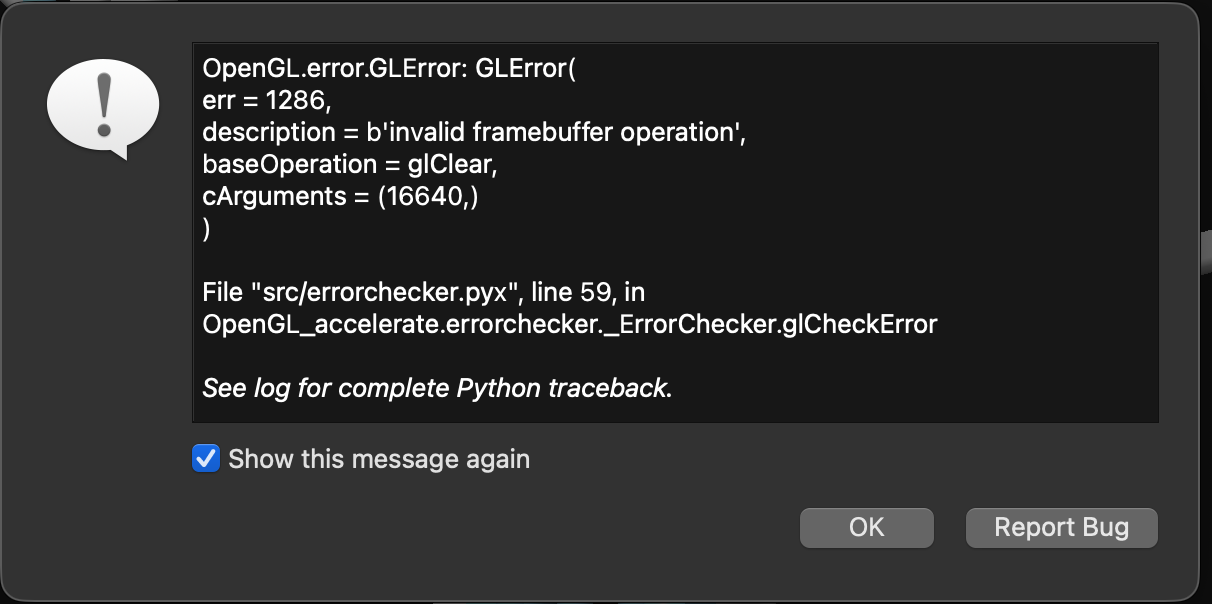
glClear: invalid framebuffer operation on status line expose event
| Reported by: | Owned by: | Tom Goddard | |
|---|---|---|---|
| Priority: | moderate | Milestone: | 1.12 |
| Component: | Window Toolkit | Version: | |
| Keywords: | Cc: | ||
| Blocked By: | Blocking: | ||
| Notify when closed: | Platform: | all | |
| Project: | ChimeraX |
Description (last modified by )
On Apr 21, 2026, at 8:15 PM, Beckman, Joseph S wrote:
I wanted to report a reoccurring problem I have been having for the past two months.
While the program is sitting open and unused, this message popped up and I have to close the program from the kill panel (opt-Escape)
[attached error1.png]
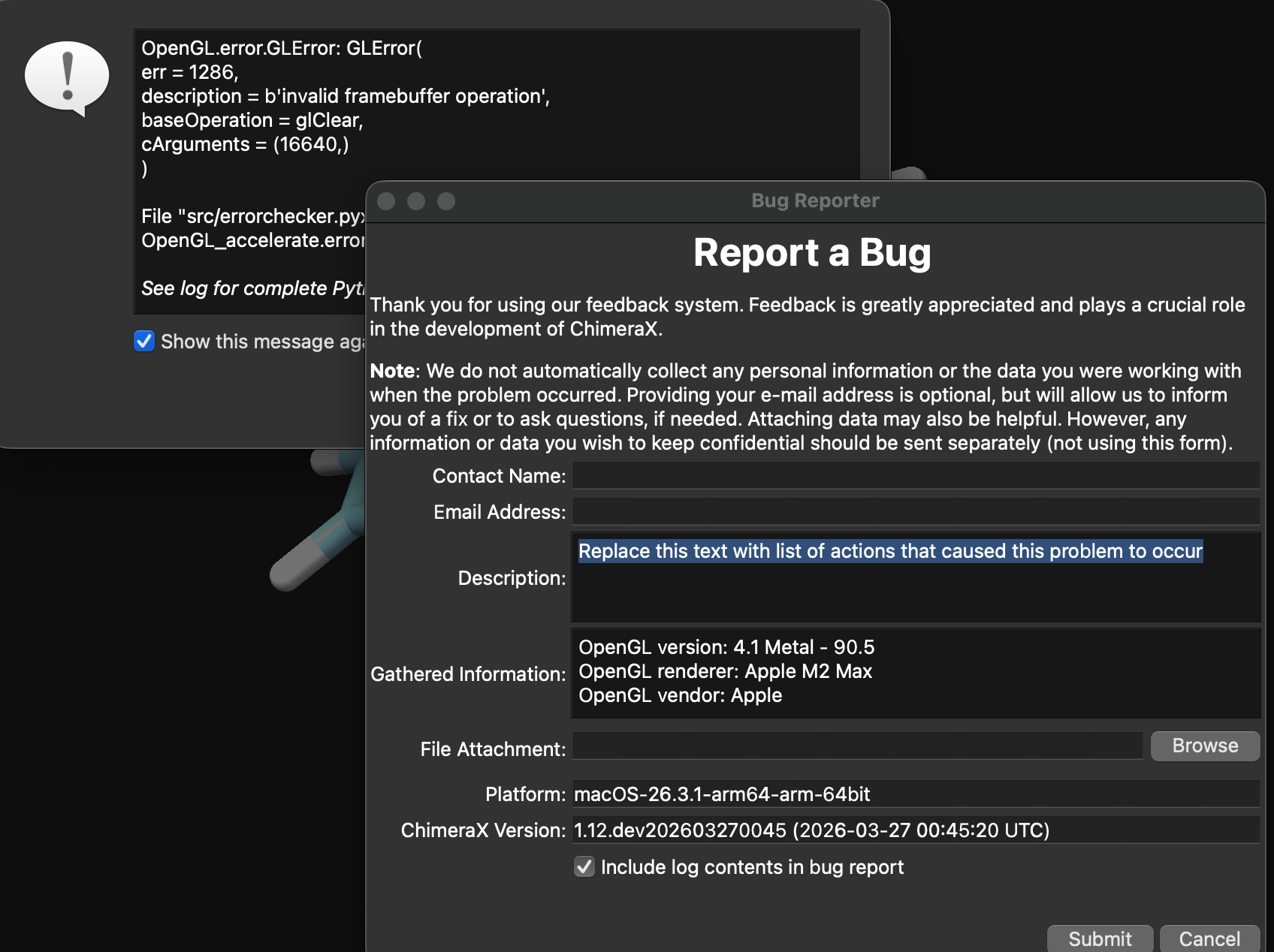
I have tried to use Report Bug, but the pop up window does not allow me to edit anything. The machine and software ID show in the window are correct.
[attached error2.png]
Thanks for all the support you provide, I learn a lot from the posts but am just an amateur.
Attachments (2)
Change History (8)
by , 3 months ago
| Attachment: | error1.png added |
|---|
comment:1 by , 3 months ago
| Description: | modified (diff) |
|---|
From: Tom Goddard
Subject: Re: ChimeraX locks up in a Mac
Date: April 22, 2026 at 10:31:09 AM PDT
To: "Beckman, Joseph S"
Cc: ChimeraX Users Help
Hi Joseph,
This ChimeraX error on Mac is caused by a bug in the Qt window toolkit which appeared with macOS 26. The current ChimeraX daily build uses a newer Qt version (6.10) which appears to fix the problem. The daily build is quite stable, so you may want to use it. It is on the ChimeraX download page. Thanks for the info about Report Bug not working once you hit this error. It must work for some people because this ChimeraX error has been reported dozens of times.
Tom
comment:2 by , 3 months ago
From: "Beckman, Joseph S"
Subject: Re: ChimeraX locks up in a Mac
Date: May 3, 2026 at 11:32:40 AM PDT
To: Tom Goddard
Hi Tom. I think I may have found the problem causing the lock up.
I did download the latest daily build, even as late as last week.
ChimeraX behaved fine while I used my laptop only as a laptop.
Today I plugged it back into my Apple Design Studio monitor.
The program runs for a bit and then locks up. I press Report an Issue and the window pops up, but I cannot enter anything into the field
I have to kill the program from opt cmd esc to exit. When restarted, the program runs for maybe 30 min and then the popup window appears even though I am working on a different program at the time.
Thx, Joe
comment:3 by , 3 months ago
Thanks for the info about how you reproduce this bug by connecting the Apple Design Studio monitor and waiting. I'm sad to hear that it still happens in the current ChimeraX daily build. This is certainly a bug in the Qt window toolkit. Qt has had many Mac bugs associated with external displays.
I would still like to see a ChimeraX bug report so I get all your computer system info. I believe the reason you can't type into the ChimeraX Report Bug panel and submit the bug is because the error dialog is taking all input -- you have to close the Error dialog. When you press the Report Bug button on the Error dialog it will close the Error dialog, but very likely it generated another error. So you may need to close a few error dialogs and unclick the "Show this message again" in the error dialog to stop the stream of error dialogs.
I have some code in ChimeraX to work around this Qt error, but apparently it does not always stop the problem. I have more extreme ideas to work around the error but since I had no way to reproduce the problem myself I did not implement those yet. Perhaps I can have you test one of these more extreme fixes if you are able to reliably reproduce the error. I don't have an Apple Design Studio monitor.
comment:4 by , 3 months ago
| Milestone: | → 1.12 |
|---|
comment:5 by , 3 months ago
I put in a more aggressive work-around in ChimeraX daily builds dated May 4, 2026 or newer that ignores status line expose events on Mac. I expect this will avoid the glClear() bug in this ticket. It may also fail to redraw the status messages at the bottom of the ChimeraX main window in some cases (e.g. when deiconfying the window).
Joe, if you can try this daily build and let me know if it prevents the error you see with your Apple Design Studio monitor connected, I'd appreciate hearing.
comment:6 by , 8 weeks ago
| Resolution: | → fixed |
|---|---|
| Status: | assigned → closed |
This error has not been reported in ChimeraX versions from the last 5 weeks, so it appears the work-around added to ChimeraX has solved the problem.



Error dialog showing glClear error.