
CyBrowser: HTML browser app for Cytoscape
Description
CyBrowser is a Cytoscape 3 app that provides an HTML/Javascript browser dialog or results panel. The app is intended to be used primarily as an adjunct for other apps, but may also be used directly by users. CyBrowser has two unique features that provide for integration with Cytoscape:
- Special cycmd links that will execute the rest of the URL as a
Cytoscape command. For example:
<a href="cycmd:view fit content">Click to fit the content</a>
will execute the Cytoscape "view fit content" command when the user clicks on the link. - Two Javascript methods that allow code running in the context of the web
page to execute Cytoscape commands and (optionally) get the results back.
- cybrowser.executeCyCommand(command) will execute the string specified by
the command argument. For example:
<input type="button" onclick="cybrowser.executeCyCommand('view fit content');" value="Fit content"/>will execute the Cytoscape "view fit content" command when the user clicks on the button. - cybrowser.executeCyCommandWithResults(command, methodName) will execute the string specified by
the command argument, and call the Javascript method specified by the methodName parameter.
After the command has completed in Cytoscape, the methodName method will be called with a single
argument, which is the string representation of the returned value from the command. The calling web page
must supply the method specified by methodName. For example, to get a list of all of the current
networks:
<html>
	<head>
	<script>
function getResults(results) {
	alert("Networks: "+results);
}
	</script>
	</head>
	<body>
		<h1>Test</h1>
		<input type="button" onclick="cybrowser.executeCyCommandWithResults('network list', 'getResults');" value="List networks"/>
	</body>
</html>
After the execution of the network list command, the getResults method will be called with the actual results from the command. In this case, we've just used the alert method to display those results, but more sophisticated applications could write the results into the HTML or process it in some manner, including calling additional Cytoscape commands. While currently, the return values are limited to strings, in the future, this will be expanded to also support JSON representations of Cytoscape command results.
- cybrowser.executeCyCommand(command) will execute the string specified by
the command argument. For example:
Also note that the UserAgent string returned by CyBrowser includes the string CyBrowser/version where version is the App version. This allows web sites to determine if CyBrowser is the user agent. The current user agent is:
User agent = Mozilla/5.0 (Linux x86_64) AppleWebKit/602.1 (KHTML, like Gecko) JavaFX/8.0 Safari/602.1 CyBrowser/0.5.0
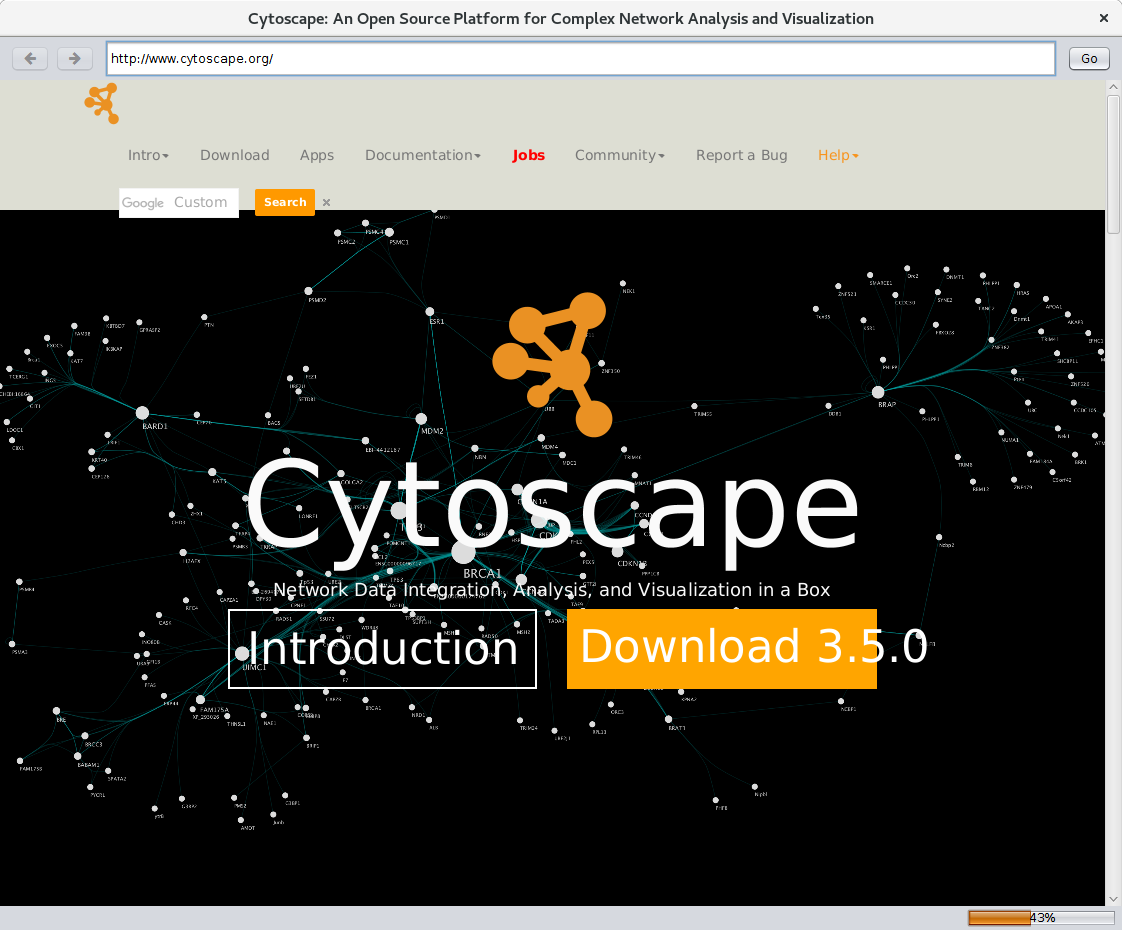
Figure 1: CyBrowser's dialog showing the Cytoscape web site
User interface
CyBrowser provides a single interface for users and three commands that may be used for scripting or by apps through the Cytoscape command mechanism. The user may initiate a CyBrowser dialog by using the Apps→CyBrowser→Launch Cytoscape web browser menu. This will bring up a simple text box that the user can use to enter a URL. This will bring up the browser as shown in Figure 1. The default browser has very simple controls:
- a text box to enter a new URL,
- forward and backward arrows to move through the history,
- and a Go button.
Commands
In addition to the simple browser interface provided to the user, CyBrowser also supports three commands to control browser windows and utility command to get the version of the app. The commands currently supported are:
- cybrowser dialog Launches a CyBrowser dialog similar to the one available through the App menu.
- id=window id: provides a way to identifiy this window for subsequent operations. If a browser with the same window id is already open, that browser will be reused. The window id is also used by the cybrowser hide command to refer to a specific window to hide.
- title=window title: The title of the window, if the web page does not provide a title. This is almost always provided by the web page and hence will be ignored.
- text=text: HTML/Javascript text to be loaded into the browser window. This will almost exclusively be used by apps wishing to provide built-in HTML to the browser window.
- url=url: The URL to load into the browser.
- debug=true|false: If debug is true a "bug" button
(
 ) is
included in the top button/text bar in the dialog. When pressed, a simple Javascript/web debugger
is displayed. This debugger has limited functionality due to the security restrictions of
Javascript, but it still provides a number of useful tools.
) is
included in the top button/text bar in the dialog. When pressed, a simple Javascript/web debugger
is displayed. This debugger has limited functionality due to the security restrictions of
Javascript, but it still provides a number of useful tools. - cybrowser show Open up a CyBrowser in a tab in the Cytoscape Results Panel.
- id=window id: provides a way to identifiy this window for subsequent operations. If a browser with the same window id is already open, that browser will be reused. The window id is also used by the cybrowser hide command to refer to a specific window to hide.
- title=window title: The title of the tab in the Results Panel. Note that this overrides any <title> tag provided by the web page
- text=text: HTML/Javascript text to be loaded into the browser window. This will almost exclusively be used by apps wishing to provide built-in HTML to the browser window.
- url=url: The URL to load into the browser.
- cybrowser hide
- id=window id: Hides the tab or dialog corresponding to the window id
- cybrowser version
- This is a simple command that returns the version of the app as a string.
About RBVI | Projects | People | Publications | Resources | Visit Us
Copyright 2021 Regents of the University of California. All rights reserved.